Projects
Canvas Rule at Movable Ink
A System for Non-Technical Users to Configure Complex Marketing Logic

year
2025
timeframe
6 weeks
tool
Figma
category
New Feature
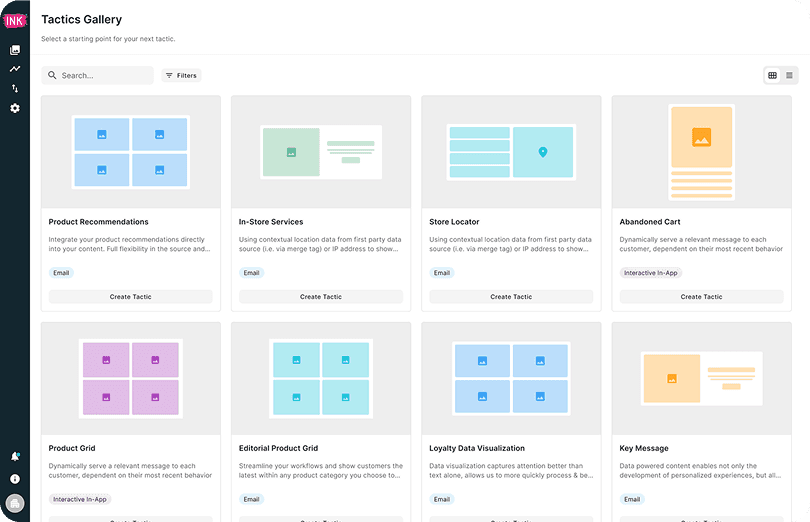
Designed a flexible rule-configuration system that empowered marketers to build and deploy conditional logic without engineering support, reducing feature request backlog by 40% and improving deployment cycles from 2 weeks to 2 days.
Background: What is Tactics?
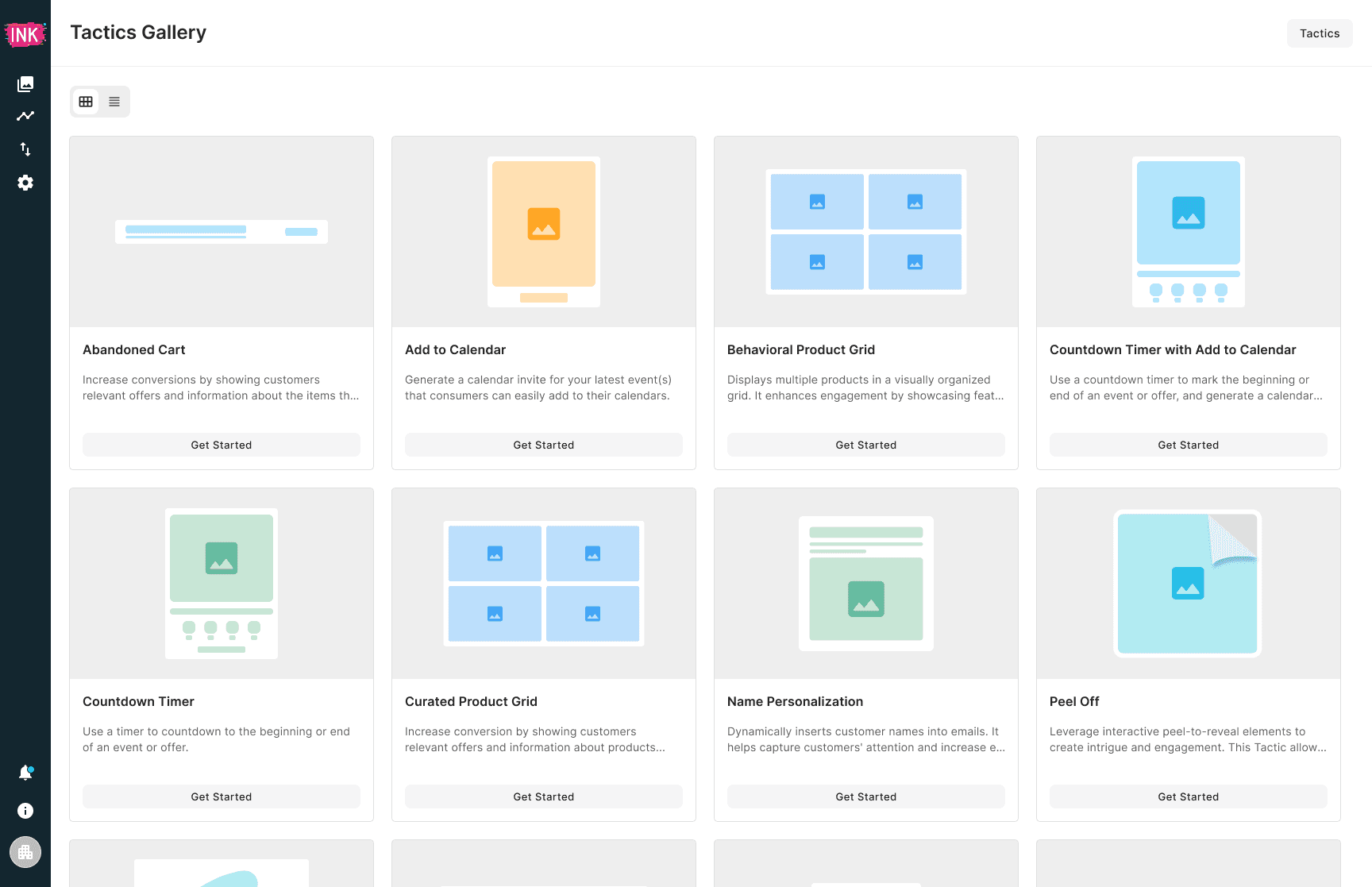
Tactics are reusable marketing content modules (e.g., Abandoned Cart, Countdown Timer, Store Locator, Product Grid) that powers personalized marketing experiences across email, in-app, RCS, and web. Marketers at brands like American Express, Dunkin’ Donuts, Home Depot, Amazon Music use Tactics to deliver the right content to the right customer at the right time based on customer data (location, behavior, loyalty status, or time zone)
A canvas is a specific version of a Tactic’s content layout. For example, the Loyalty Progress Bar tactic would have multiple canvases for different loyalty tiers.
Why this project mattered
Previously, marketers couldn't independently control which content appeared for different customer segments. Every personalization scenario required engineering support to write custom rules. This created a bottleneck:
Brands waited 1-2 weeks for simple personalization requests
Engineering spent up to 3 days per week on repetitive configuration tasks
To scale the product, we needed to shift this power to marketers.
The Problem
Research Findings
In collaboration with our Customer Experience team, two critical pain points emerged:
Non-technical marketers couldn't configure personalized content for different customer segments
Tactics settings applied to ALL canvases; there was no way to apply rules to specific canvases
The Concrete Example
Imagine a Loyalty Progress Bar tactic with 3 canvases:
Canvas A: Bronze tier → "You have 500 points to reach Silver"
Canvas B: Silver tier → "You have 1000 points to reach Gold"
Canvas C: Gold tier → "You're a VIP member! 🎉"
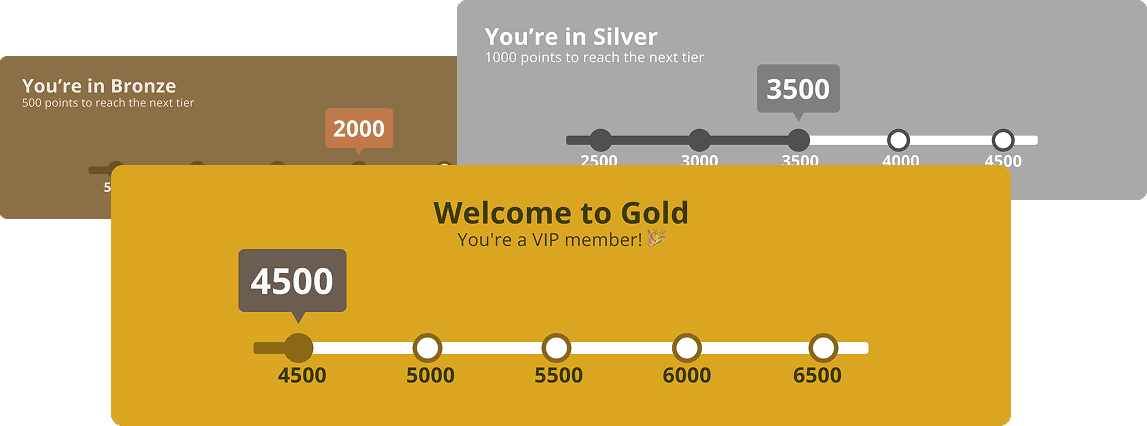
Marketers wanted to show Canvas A to Bronze members, Canvas B to Silver members, and Canvas C to Gold members. But there was no way to do this without engineering support. Instead, they'd submit a ticket request asking engineers to hardcode these rules. A process that took 1-2 weeks.
A More Complex Problem: Geolocation
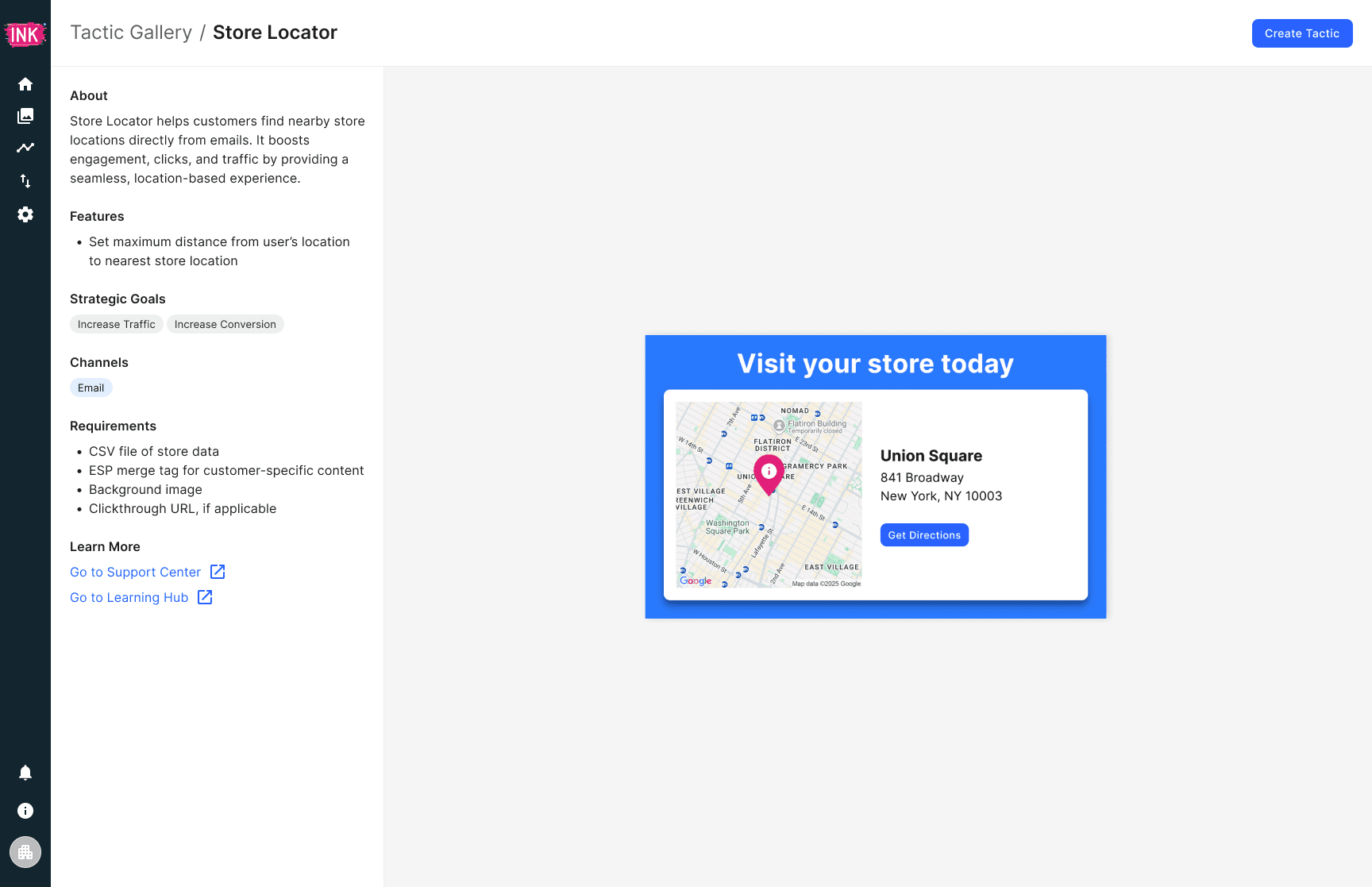
When we looked at more sophisticated tactics like Store Locator, the problem became even more complex. Marketers wanted to show different content based on customer location:
Canvas A: Show this canvas when user is in New York
Canvas B: Show this canvas when user is in San Francisco
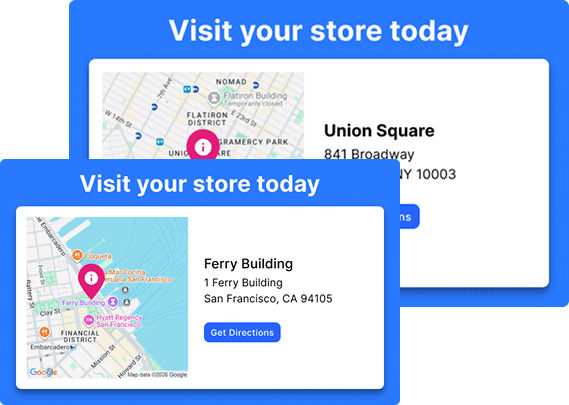
However, email clients like Gmail and Apple Mail block exact geolocation for privacy reasons. We'd need to geolocate customers through dynamic fields (e.g., stored postal codes), which added another layer of configuration complexity.
Why This Was Hard: The Constraints
While the user need was clear, we operated within significant constraints.
Technical and Organizational Constraints
WYSIWYG editor doesn't support input validation
Settings are applied globally; no existing architecture for canvas-level rules
Only 6 weeks to ship (no time for architectural rebuilds, plus another team owns it)
Cross-team dependency; limited availability for major changes
These constraints meant: We couldn't build a perfect solution, but we needed to find the best solution that was ACHIEVABLE within these bounds.
Design Objectives
Based on our research findings and constraints, success meant:
Intuitive for non-technical marketers — no code or engineering knowledge required to create a way for non-technical folks to configure conditional logic
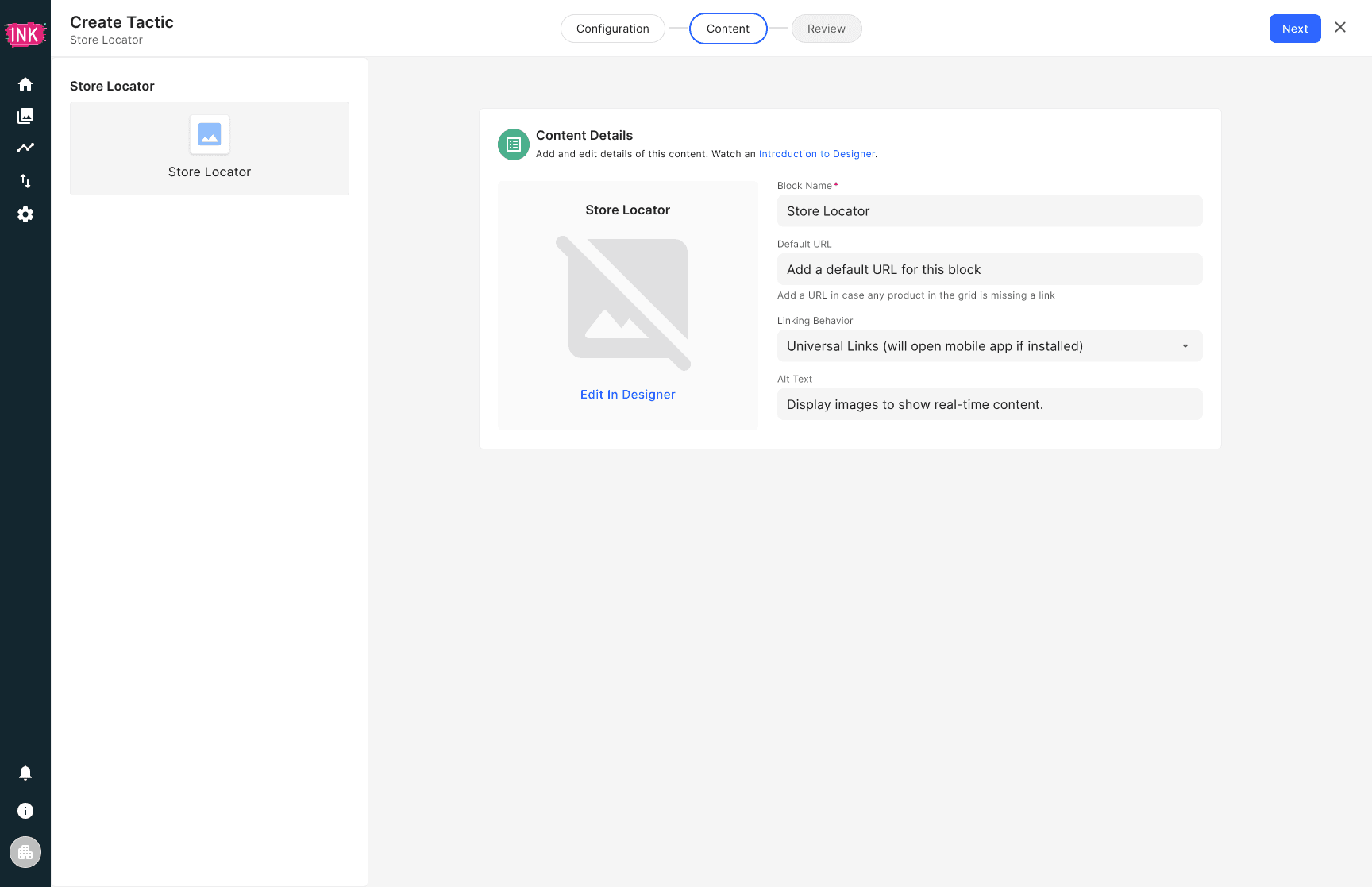
Scalable across 20+ tactics — works for Store Locator, Countdown Timer, Product Grid, and more
Prevent configuration errors — guide users so rules don’t break live customer experiences
Ship within 6 weeks — must leverage existing systems and architecture
Design Exploration
In collaboration with my PM, we identified the core need: canvas-level rules. This was different from the global Settings system. Marketers needed the ability to say "Apply this rule to Canvas A, not to Canvas B."
Key insight from exploration:
Canvas Rules ≠ Tactic Settings. They solve different problems and need separate architectures.
The Dual Challenge: Simple Cases + Complex Cases
As we explored, we reminded ourselves that the solution needed to work for TWO types of use cases:
SIMPLE CASE: Loyalty Progress Bar
Marketers configure rules like: "Show Canvas A if loyalty_tier = Bronze"
Straightforward conditional logic
This helped us validate: We need canvas-level rules
COMPLEX CASE: Store Locator (with Geolocation)
Marketers want to show different content based on customer location
Canvas A: "Show this store finder if customer is in New York"
Canvas B: "Show this store finder if customer is in San Francisco"
BUT: Email clients (Gmail, Apple Mail) block exact geolocation for
privacy reasons
WORKAROUND: Use dynamic fields (customer's stored postal code) to
infer location
This meant: Geolocation strategy needed to be configured
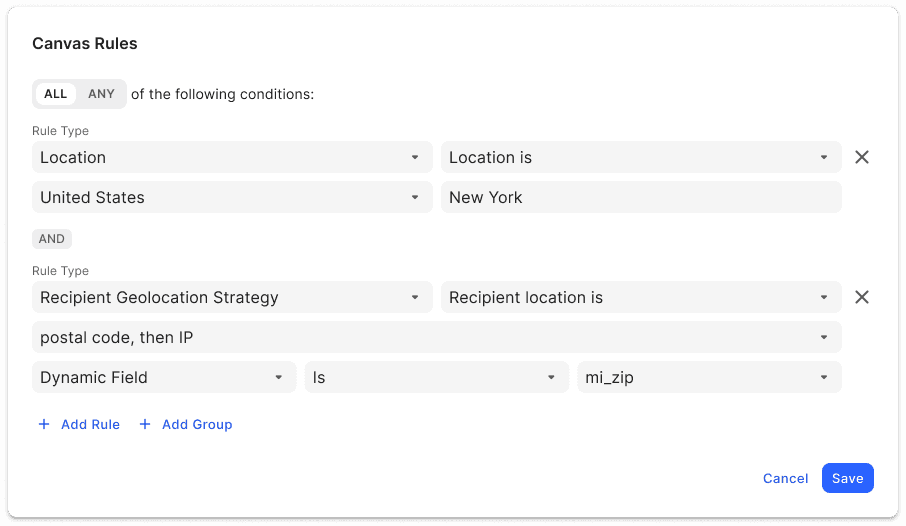
This is where our architectural exploration became critical. For each option, we tested it against the complex geolocation use case. If it couldn’t solve Store Locator or any tactics that involve geolocation, it wouldn’t work.
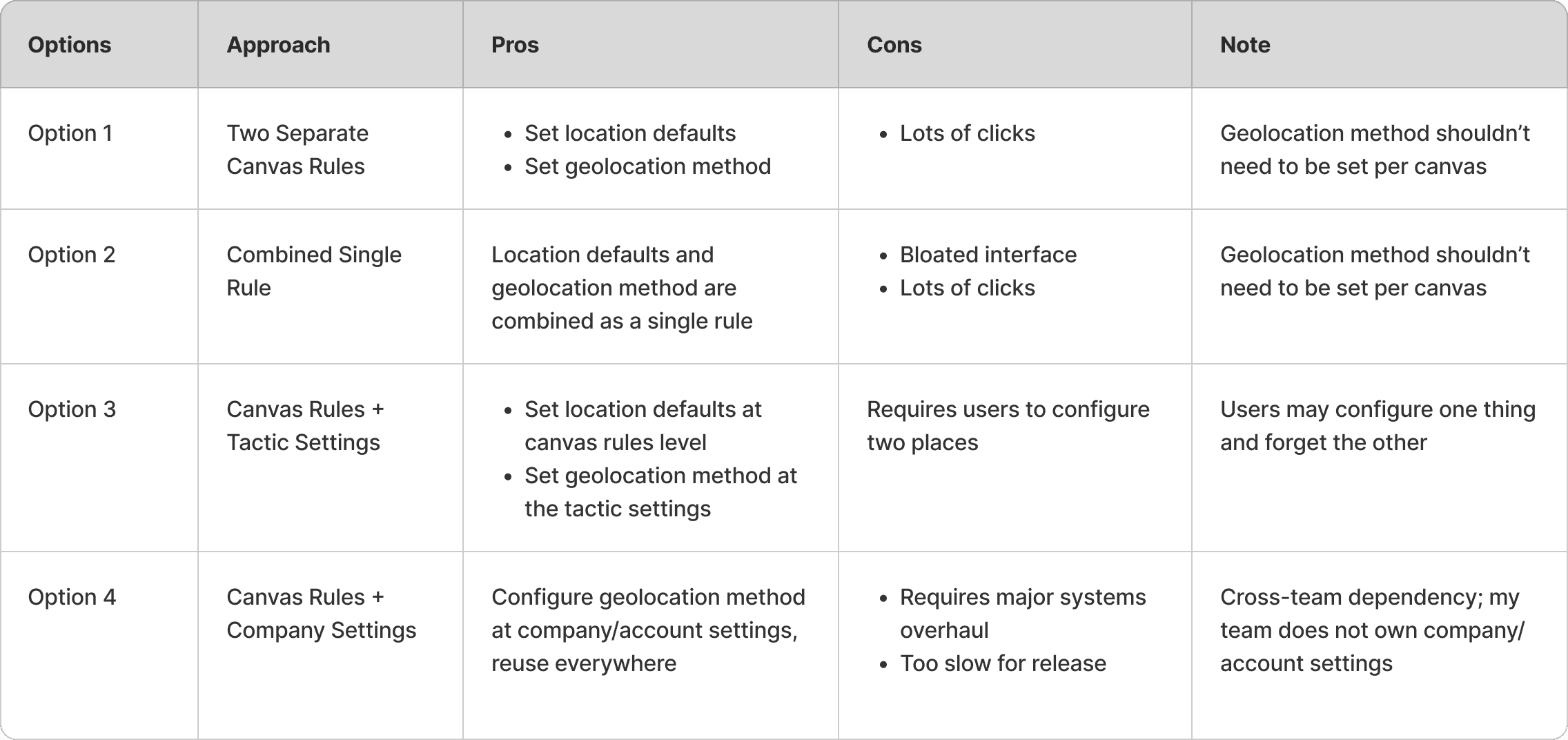
Option 1:
Option 2:
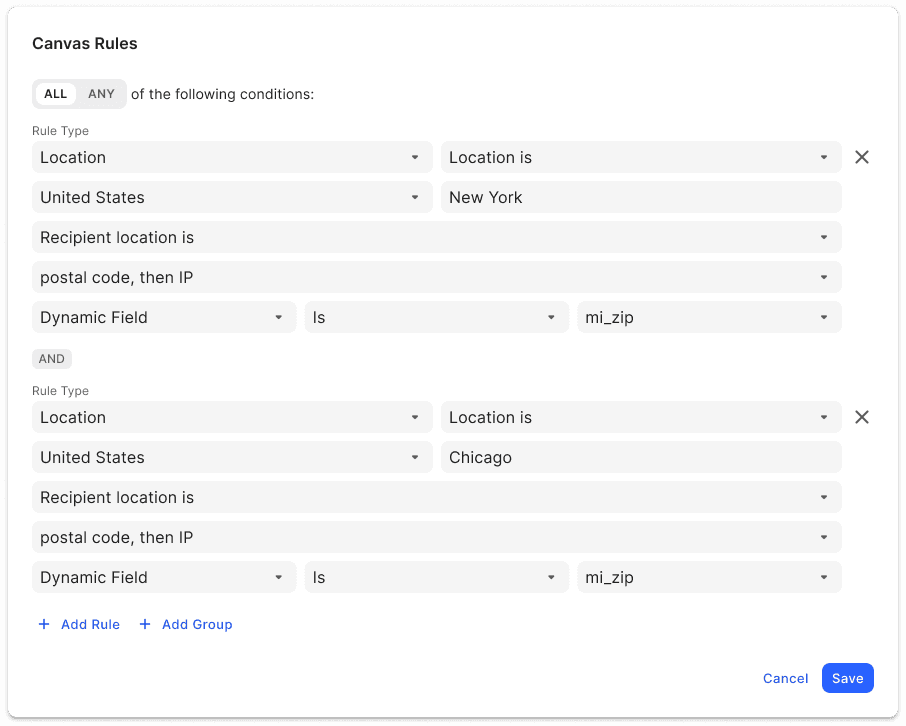
Option 3:
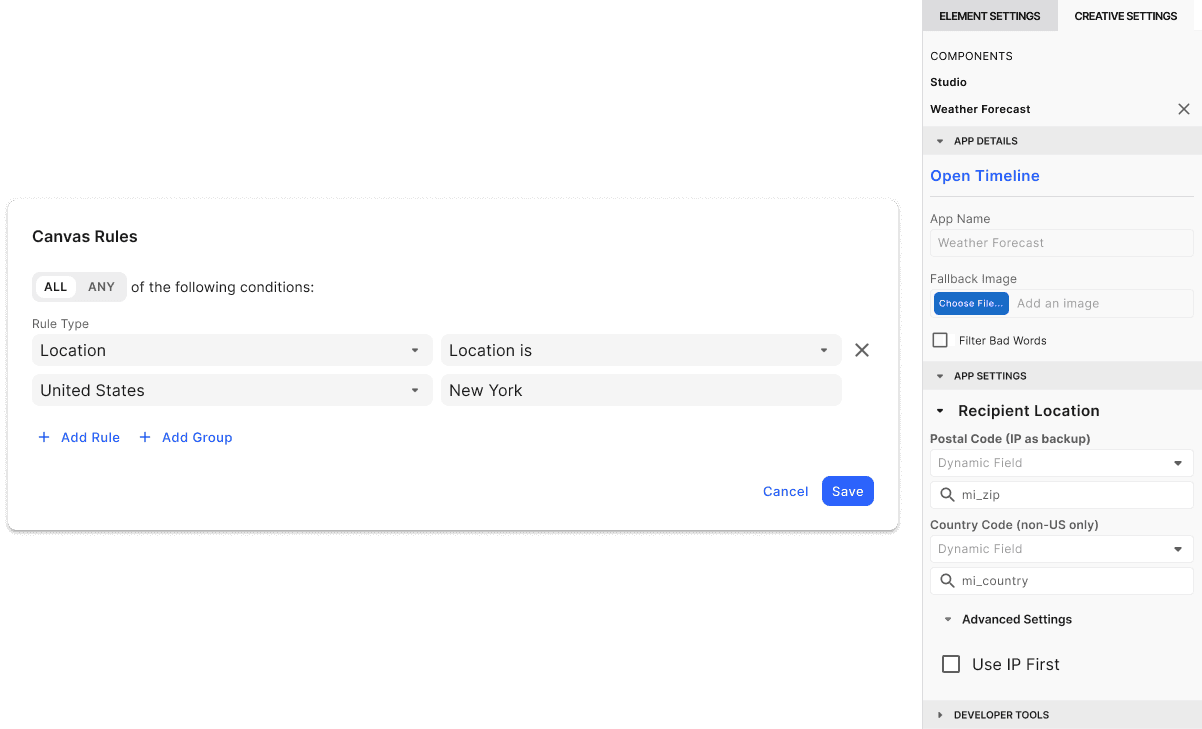
Option 4:
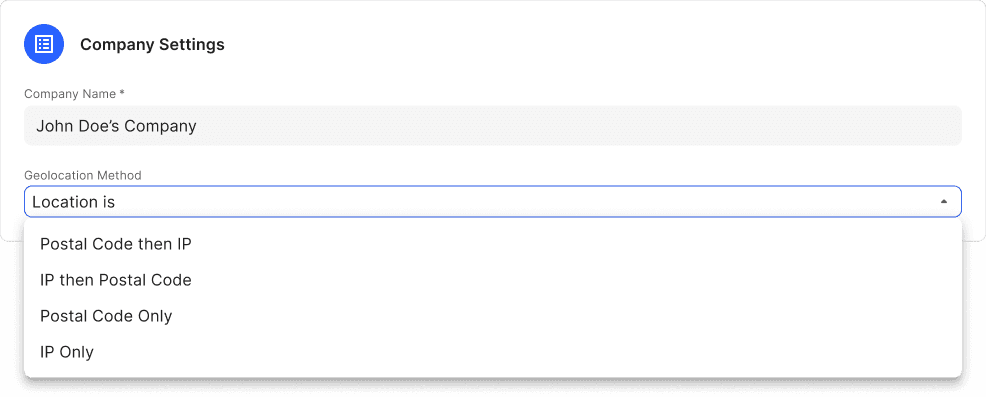
Decision Process
Presented all 4 options to PM and engineering lead
Evaluated against: IA soundness, technical feasibility, release timeline, user flexibility
Decision: Option 3, but with some safeguard
DESIGN PROBLEM #1: GUIDING USERS WITHOUT INPUT VALIDATION
The Challenge
Option 3 required users to configure in two places:
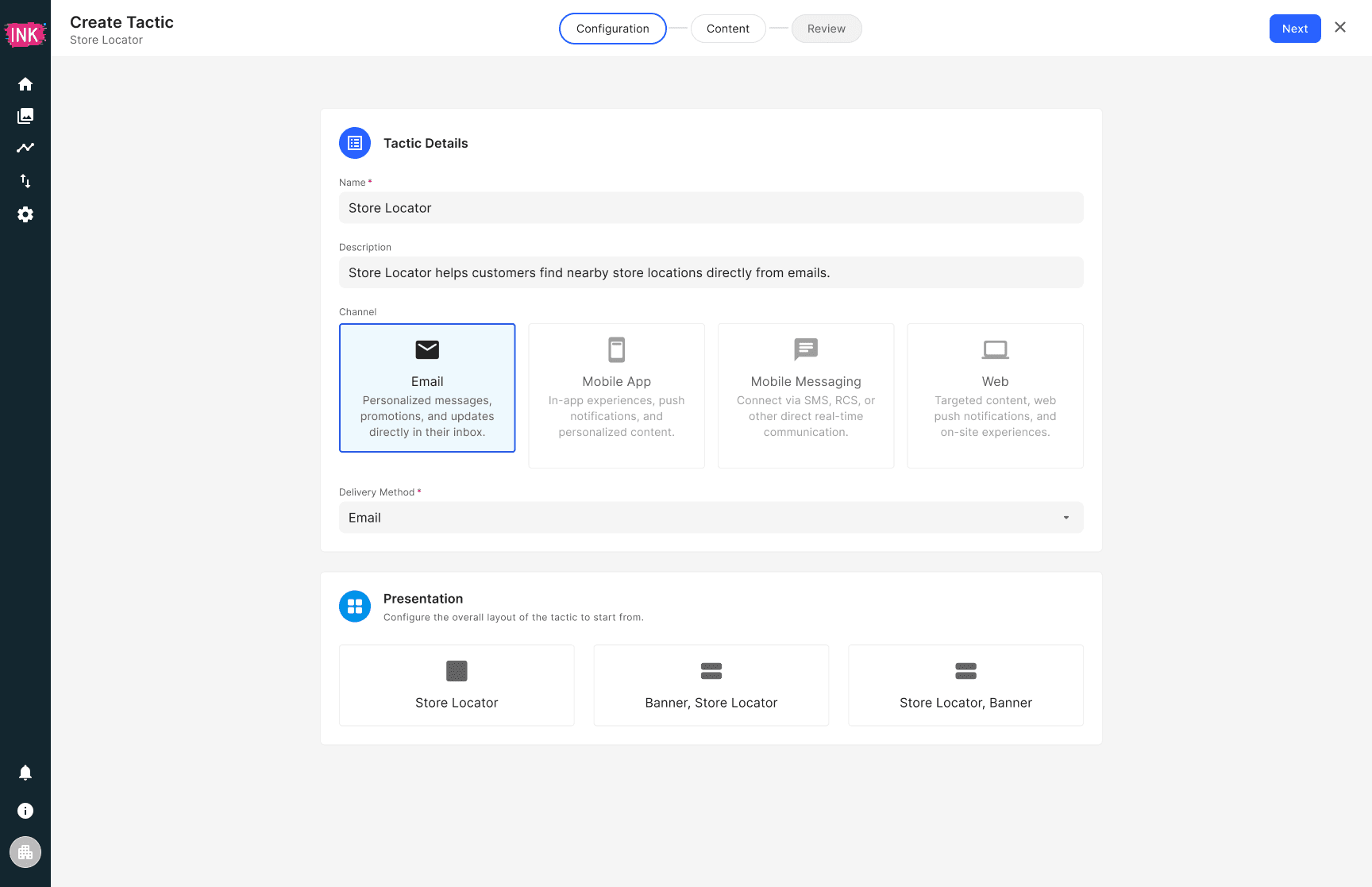
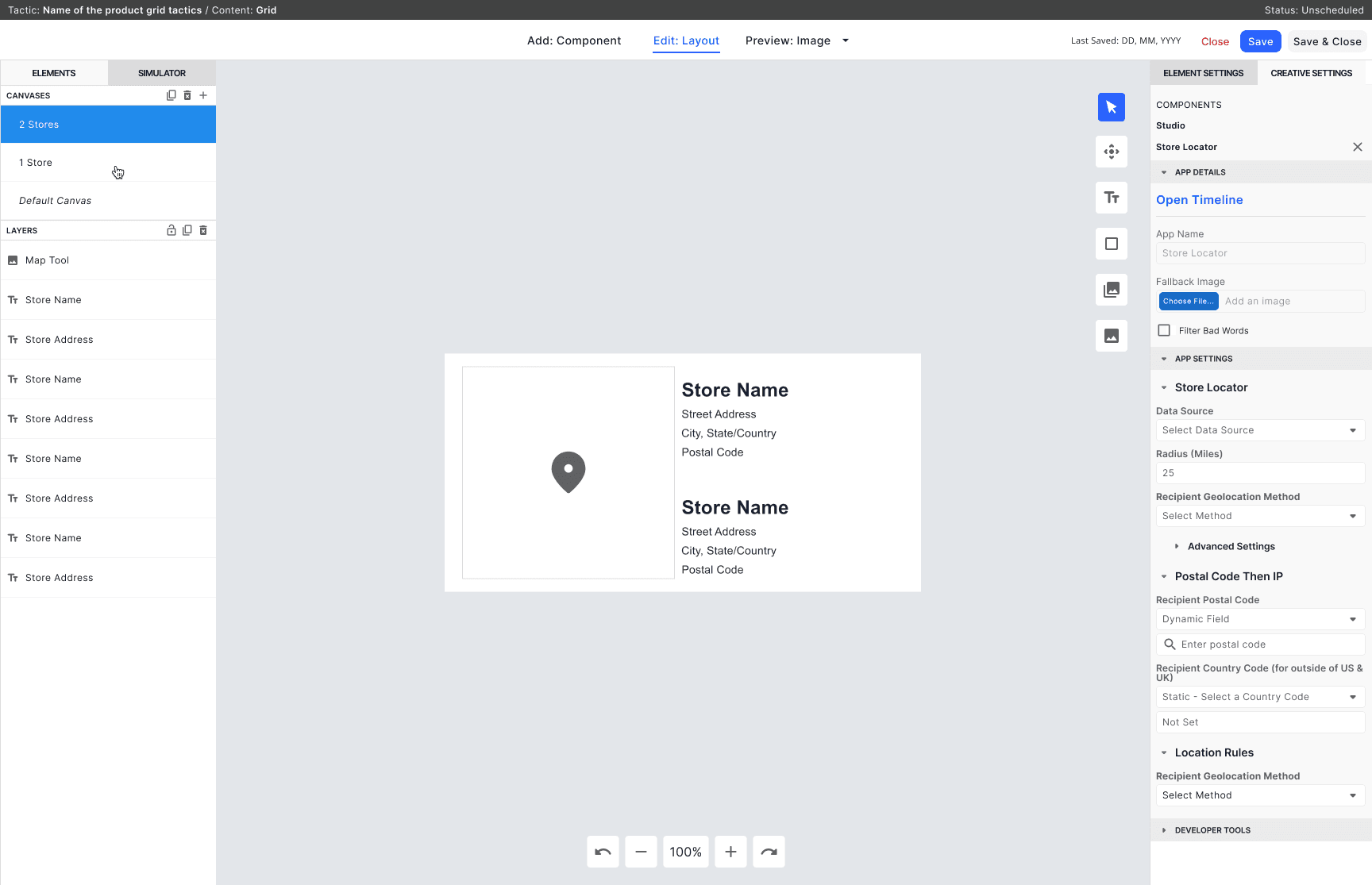
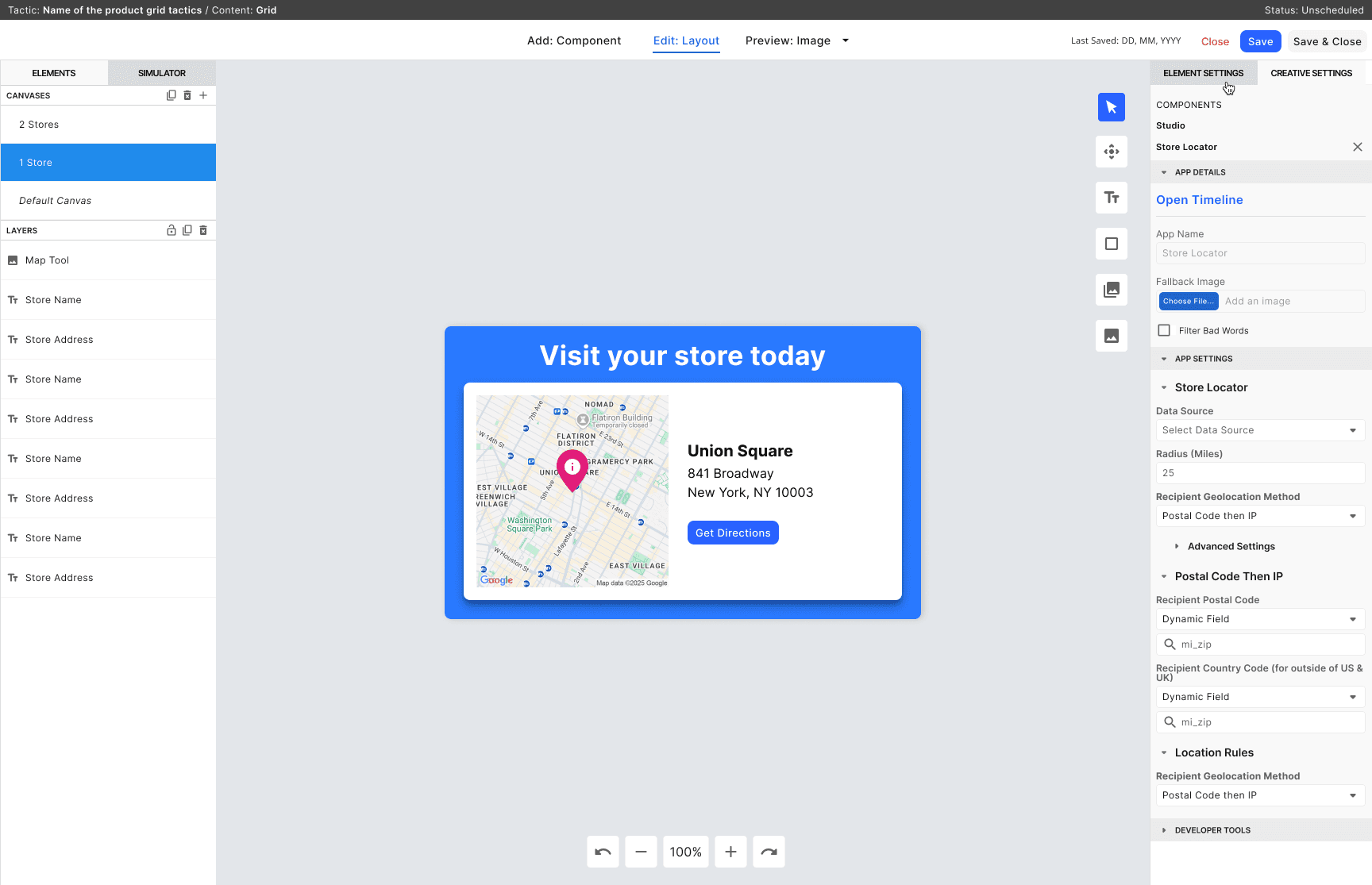
Tactic Settings: "Use postal codes to detect location"
Canvas Rules: "Show Canvas A if postal_code = NY"
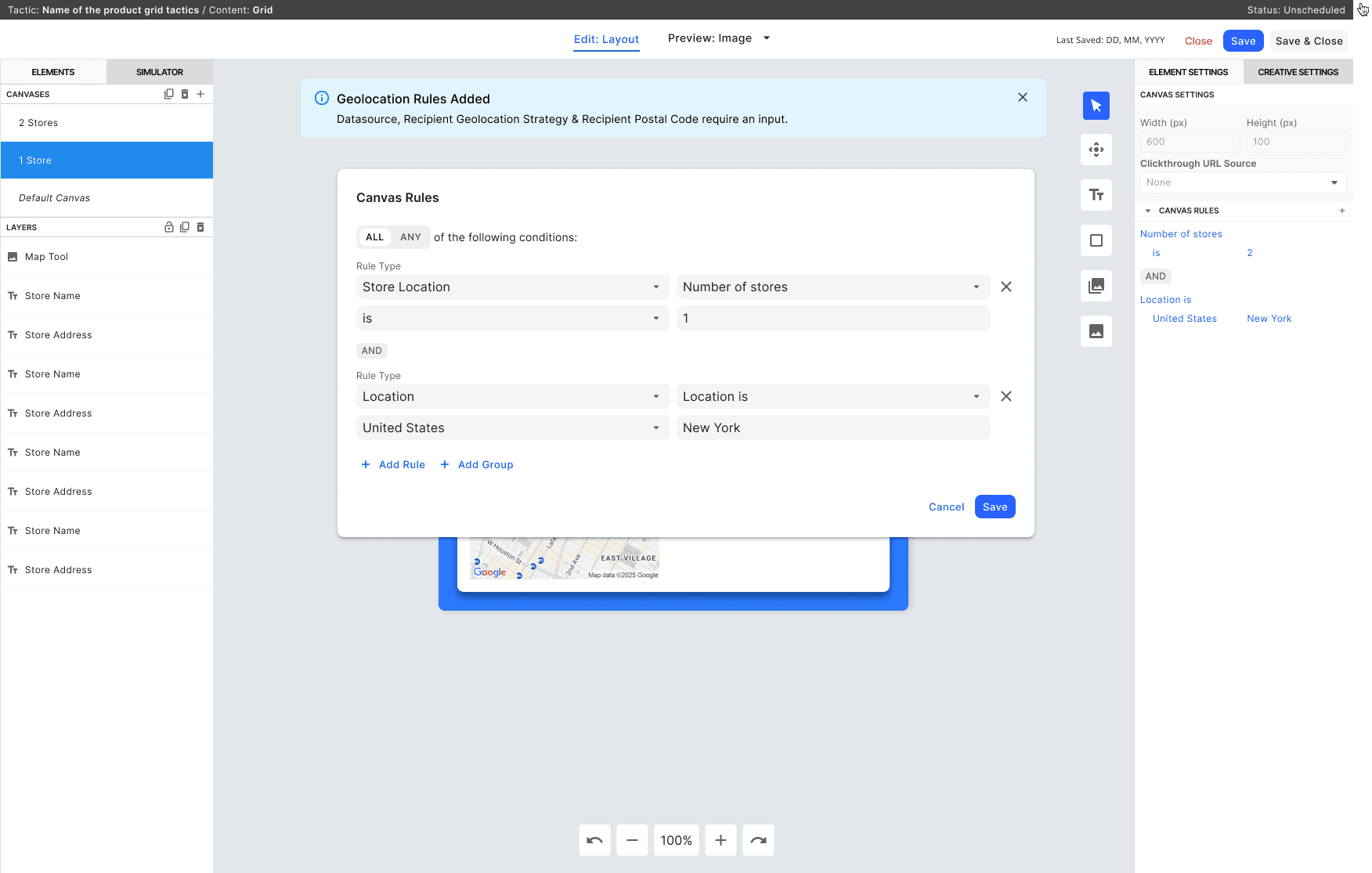
Risk: If users skip step 1 and create a Canvas Rule referencing postal_code, the rule breaks silently. The WYSIWYG editor has no input validation to catch this error.
We needed guidance to prevent broken rules.
Solution Exploration: Notification Patterns
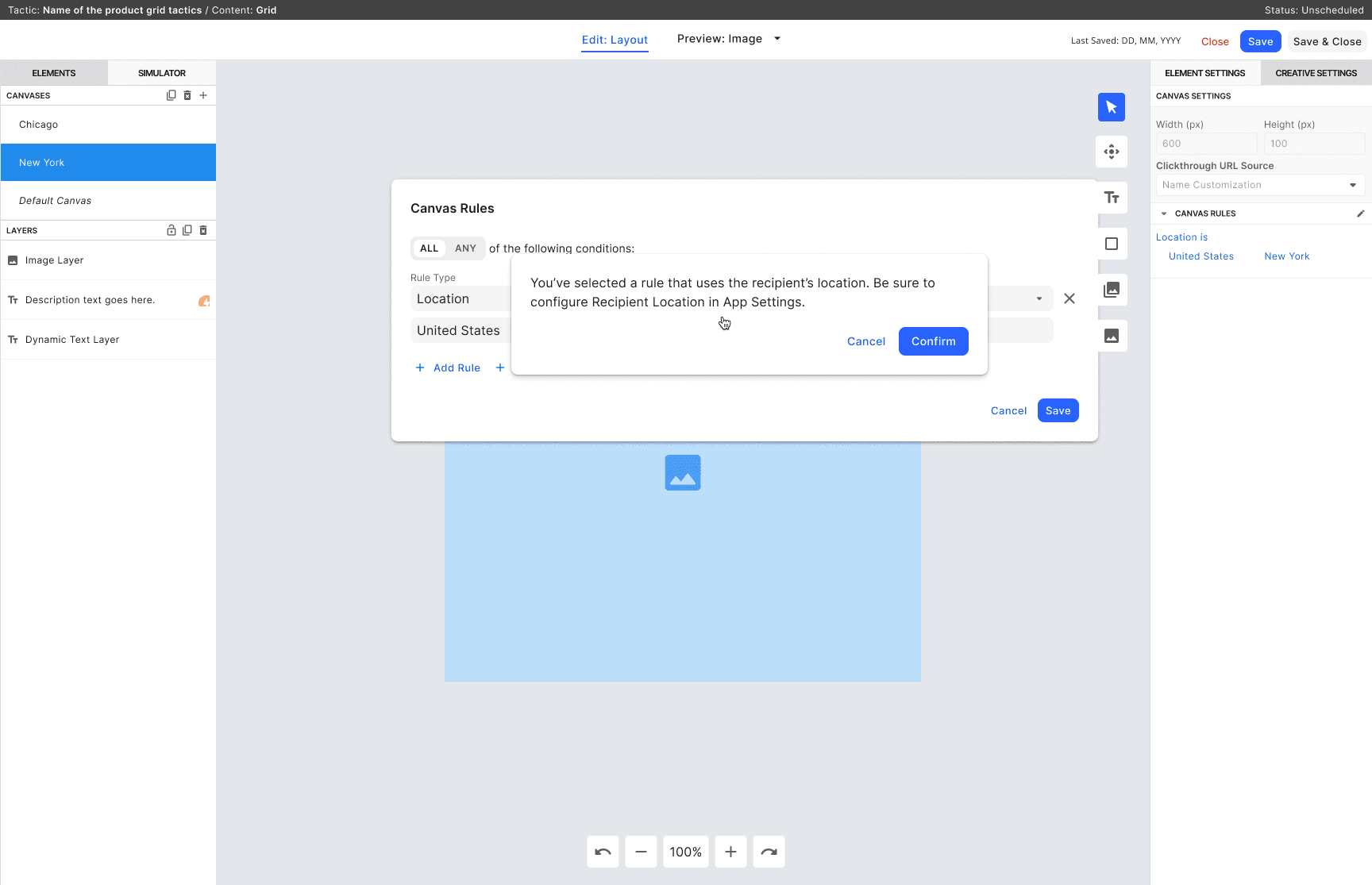
❌ Confirmation Modal
• Blocks workflow (modal-on-modal is poor UX)
• Forces navigation away
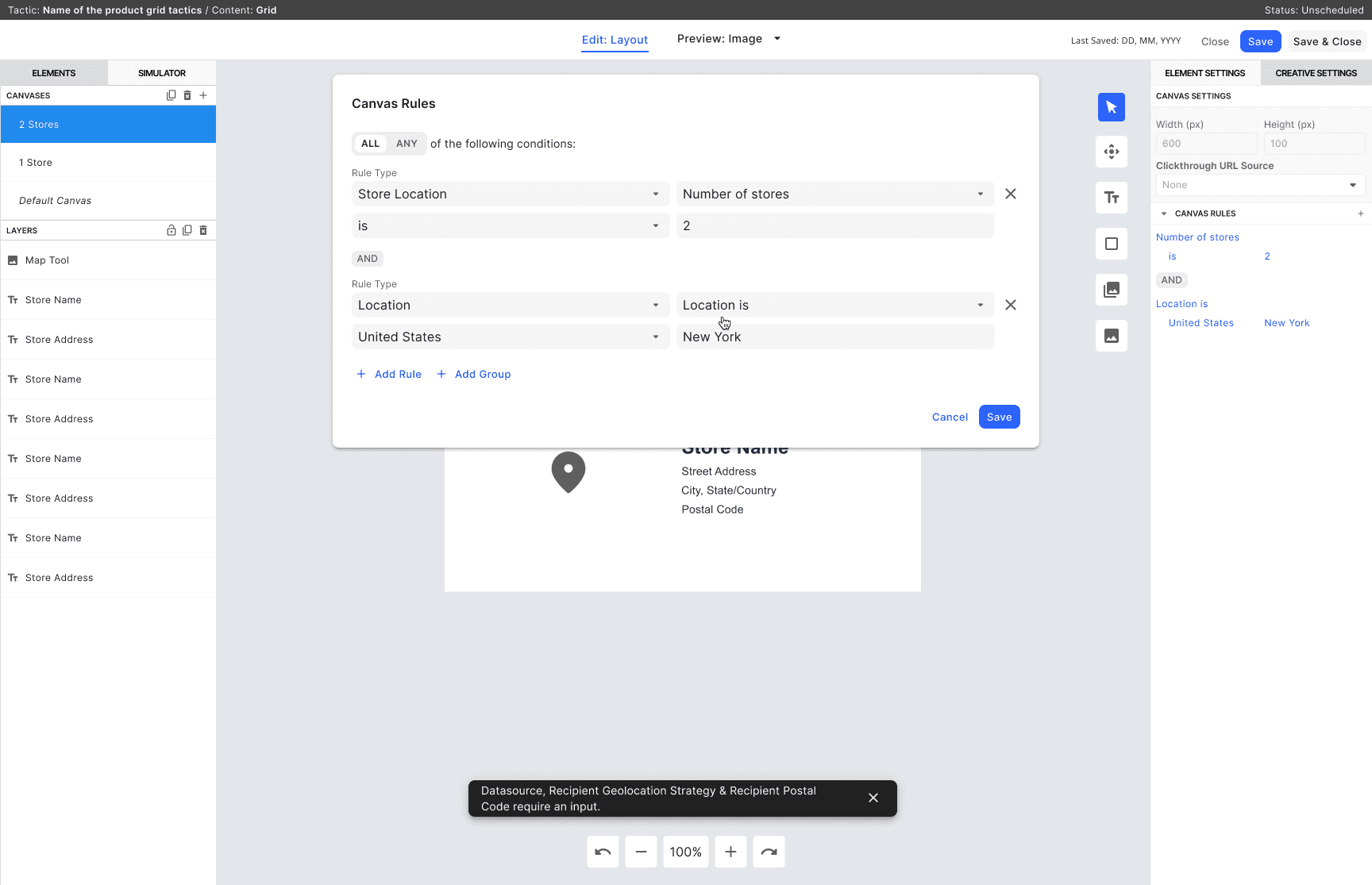
❌ Toast Notification
• Auto-dismisses (users miss it)
• Not designed for persistent guidance
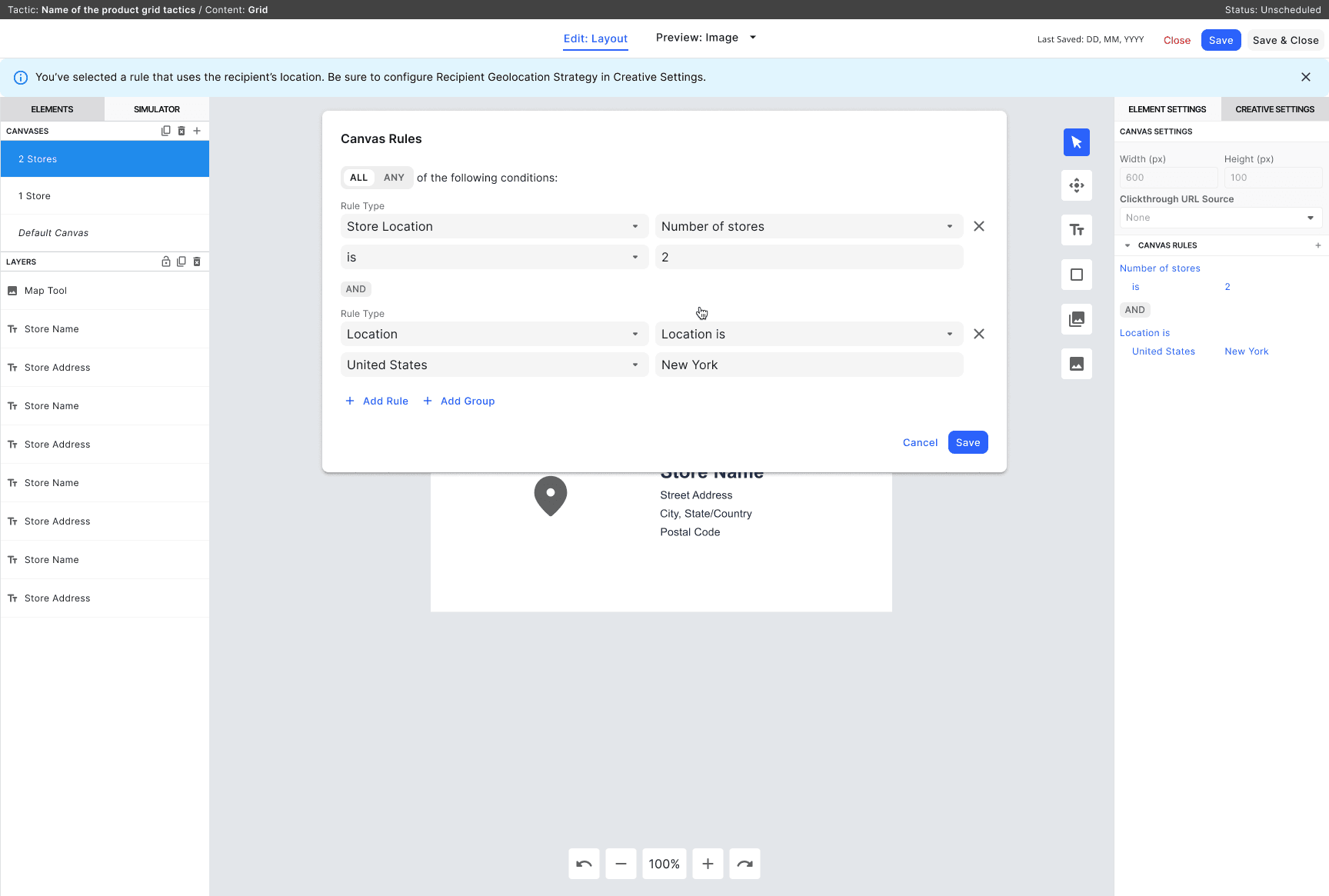
✅ Alert Banner
• Persistent and visible
• Non-blocking
• Aligns with Design System guidelines
Decision: Alert Banner
The persistent, non-blocking nature of an alert banner let us guide users through the two-step configuration without preventing them from working.
Design System Refinement
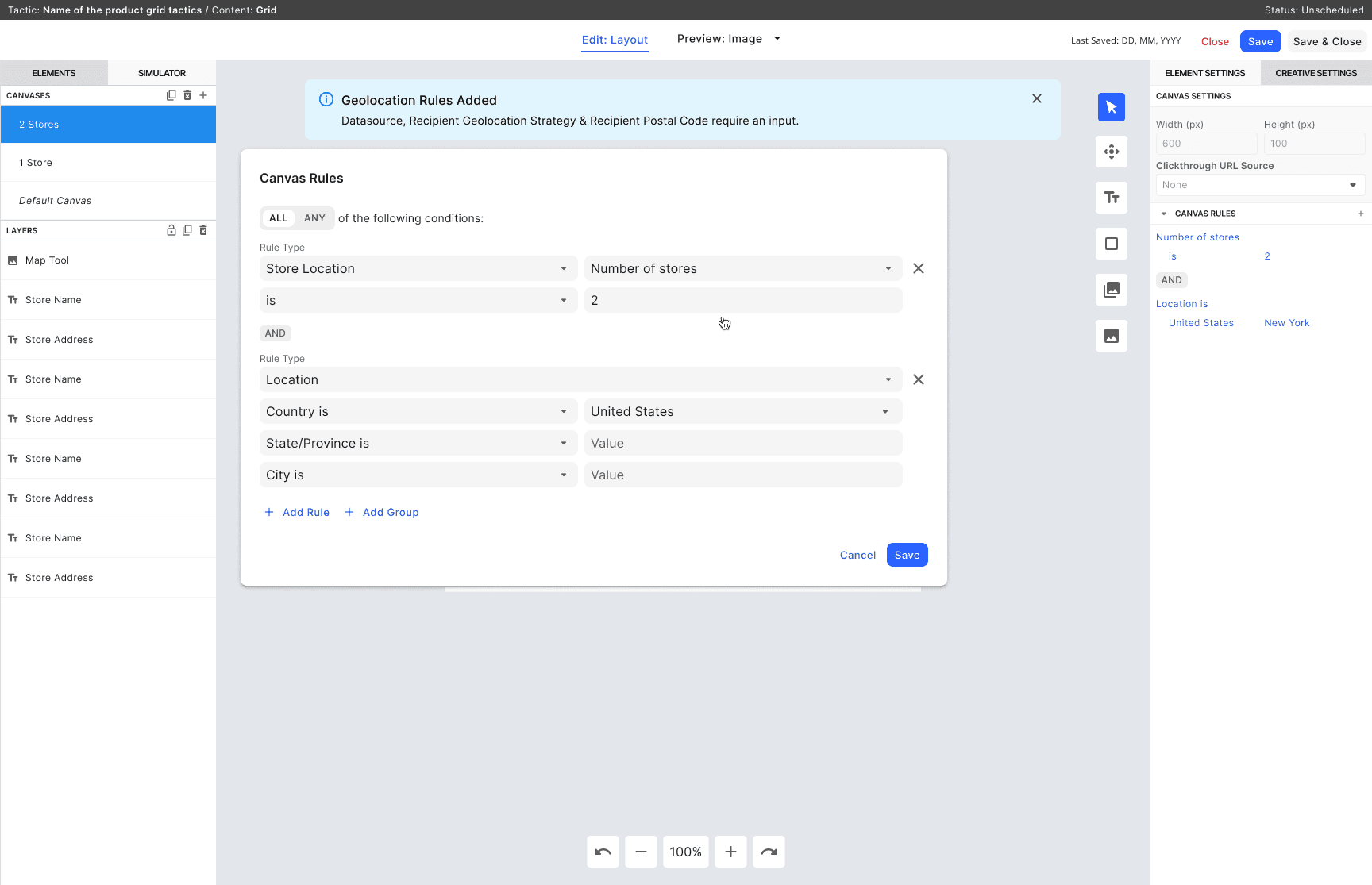
I found an Alert component in our Design System but it spanned full-screen width. Too overwhelming for the constrained rule editor.
Solution: We refined the component to work within the rule card width, making it feel integrated rather than intrusive.
DESIGN PROBLEM #2: BUILDING WITH LEGACY CONSTRAINTS
The Challenge
After finalizing designs, engineering discovered the Alert component couldn't be built in our Ember framework. Only in React. Rewriting for Ember would take 2+ weeks.
Solution: Leverage Legacy Component Library
My design system lead pointed me to an older Ember Alert component in the legacy library. It had the same visual style and behavior, and was near production-ready.
Trade-off: The legacy component had slightly different styling (colors, spacing) than our modern React version. But it was close enough that users wouldn't notice, and it achieved the core goal.
Decision: Use the legacy component
This decision prioritizes shipped-on-time over perfect-design purity.
We saved 2 weeks and delivered the feature users needed.
Final Screens
Outcomes & Reflections
Impact
Marketers can now configure personalization rules independently — no engineering ticket required. Deployment time dropped from 1–2 weeks to 2 days.
The geolocation pattern became a reusable system across multiple Tactics. The Alert component, adapted from the legacy library, became the first guidance pattern in our Design System — establishing a foundation for future error prevention work.
How I Approached It
The key insight early on: Canvas Rules and Tactic Settings are different problems. Conflating them would've produced a fragile solution. Keeping them architecturally separate made the system scalable from the start.
When the Alert component couldn't be built in Ember, the answer wasn't to delay. We used the legacy component. It was close enough. We shipped on time.
Pragmatism isn't a compromise. Sometimes it's the right call.
Reflections
The silent failure risk in the two-step geolocation flow wasn't obvious until I stress-tested Option 3 against the Store Locator case. That changed how I think about error states: they're not edge cases. They're part of the core design problem — and designing for them early is what makes a system work in production, not just in demos.